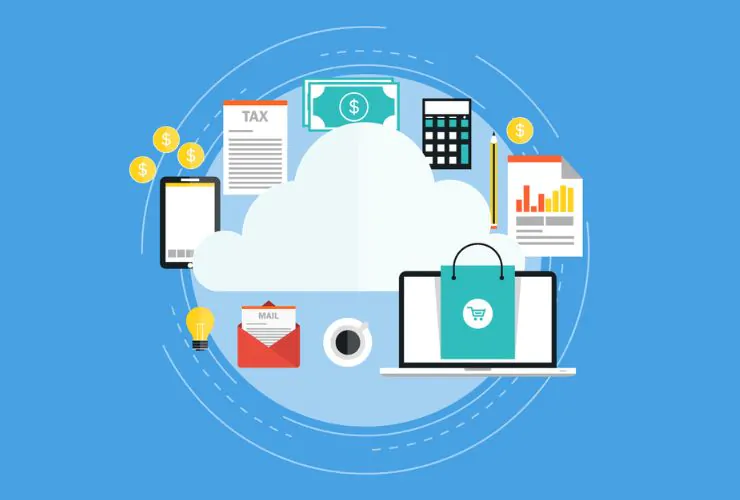

By 2026, all organizations will have migrated their data, infrastructure, and applications into the cloud and this is now part of their core business strategy.
If an organization wants to remain competitive and lower its costs, then each organization needs to move its data, applications, and infrastructure into the cloud. Cloud migration is about more than just moving your data, it is about changing how your organization operates and innovates.
The contents of this guide will include:
- Benefits of cloud migration
- Real-world examples of cloud migrations
- Data to support the ideas presented in this guide
- Best practices for successfully migrating to the cloud.
What Is Cloud Migration?
Cloud migration is the procedure of transferring enterprise applications, data, and IT resources from on-premise systems to cloud-based solutions, including:
- Public Cloud
- Private Cloud
- Hybrid Cloud
Popular Platforms Include:
- Amazon Web Services (AWS)
- Microsoft Azure
- Google Cloud Platform
Real Data on Why Enterprises Move to the Cloud
- 94% of enterprises are using cloud services now
- Cloud adoption typically results in 20%-40% reduction in IT costs
- Companies See Up to 3x Fast Deployment in a Cloud-Based Environment
- 80% of enterprises report improved scalability post-migration
Cloud as A major item in contributing to an organization’s digital transformation efforts.
Key Benefits of Cloud Migration for Enterprise Applications
1. Scalability & Flexibility
The Cloud Provides Scalability & Flexibility To The Today’s Business Directors. This Allows Them To:
- Scale Resources As Needed
- Manage Traffic Spikes
- Access New Markets In A Cost Effective Manner
This Will Provide A Solid Foundation For Businesses Experiencing Growth, And For Businesses With High Volume Applications.
2. Cost Efficiency
Cloud Provides A Cost-Effective Way Of Eliminating The Following:
- Hardware Purchases
- Ongoing Operating Expenses Related To Maintaining The Hardware
- Upgrading Infrastructure To Accommodate Growth.
The Cloud Will Provide A Pay As You Go Model So You Will Only Be Charged For What You Use.
3. Improved Performance
Cloud Provides The Capability To Improve Response Times With Cloud Computing Infrastructure, Technology Provides:
- Faster Load Times And Response Times
- High Uptime
- Lower Latency
Allows For A Better User Experience And Increased User Engagement.
4. Enhanced Security
Data Managed In The Cloud By Cloud Providers Have Increased Security When Compared To Traditional Systems Because Cloud Providers Use:
- Advanced Encryption
- Detecting Threats
- Providing Compliance For GDPR, ISO, etc…
Enterprise Data Is Much Safer In The Cloud Than Any Traditional System
5. Faster Innovation
- Cloud Provides Faster Development
- Continuous Integration/Continuous Delivery (CI/CD)
- Integration Of AI & Analytics
Making It Possible For Companies To:
- Get New Products Into Production Faster
- Remain Competitive.
6. Business Continuity & Disaster Recovery
Cloud Provides Automatic Backup And Data Recovery Of Business Operations To Ensure That:
- Businesses Can Maintain Business Continuity With Their Business Operations
- Businesses Can Get Back Up And Running Barring A Catastrophic Failure.
This Is Especially Critical For Businesses Needing To Handle Sensitive Data.
7. Remote Accessibility
Cloud Computing Allows Remote Access To Your Data, So You Can:
- Get To Your Data From Anyplace
- Work With Team Members Who Are Not In The Same Location
- Have Real-Time Updates On Status Of Projects.
This Is A Great Fit For The Distributed Work Forces Who Are More Prevalent Today Than Ever.
Examples of Use Cases for Cloud Migration
(1) Modernizing Legacy Apps
- Upgrading old systems
- Increasing performance and scalability
(2) Building SaaS Applications
- Creating cloud-native SaaS offerings
- Providing subscription models for customers
(3) Storing Data/Analysing Data
- Storing large amounts of data
- Using cloud analytics applications to get insights
(4) Creating Disaster Recovery Solutions
- Backing up critical systems
- Ensuring business continuity
(5) Implementing DevOps/CI/CD Pipelines
- Automating development workflows
- Speeding up the deployment process
Real Life Example of a Cloud Migration
Case Study: Large Enterprise Moving to Cloud Infrastructure
The enterprise migrated their on-premises applications to a cloud platform.
Challenges:
- High cost of infrastructure
- Scalability limits
- Downtime issues
Solution:
- Migrated applications to Cloud
- Created Auto-Scale
- Used Monitoring Tools
Results:
- 35% reduction in IT spend
- 50% improvement in performance
- 99.9% uptime achieved
Cloud Migration has a significant impact on efficiency, cost and reliability.
Cloud Migration Challenges
- Data Migration Risks: There is a risk of losing data while transferring.
- Security Concerns: Must be configured and monitored properly.
- Downtime Issues: Improper planning can cause disruptions.
- Skill Gap: There is a need for experienced technical resources with cloud skills.
How To Migrate To The Cloud Successfully
A step-by-step process can help your organization successfully migrate to the cloud by allowing you to make thoughtful choices about each aspect of the migration.
1) Assess Current Infrastructure
2) Establish Goals for Migration
3) Select Appropriate Cloud Model
4) Develop a Plan for Migration (Choose Between Lift and Shift, Re-platforming, Etc.)
5) Fully Test the Cloud System Before Deployment
6) Monitor Performance After Implementation and Optimize
A planned and strategic cloud migration will ensure a smooth transition and an improved return on investment for your business operations.
Empirical Edge Provides The Leading AI & Web Application Services
At Empirical Edge, we provide enterprise-level organizations with services to ensure that they can expand into the cloud and develop scalable applications with high performance.
Why Empirical Edge?
• Experienced Engineers with Many Years of Experience in the Cloud
• Cost-Effective Solutions for Migrating to the Cloud
• Agile Development Process
• Complete Support During the Entire Migration Process.
We provide secure, scalable, and future-proof cloud solutions for our customers.
Ready to migrate your enterprise applications to the cloud?
Frequently Asked Questions
Cloud migration is the process of moving applications and data from on-premise systems to cloud environments.
Scalability, cost savings, improved performance, enhanced security, and faster innovation.
It depends on complexity but typically ranges from a few weeks to several months.
Initial costs may be involved, but it reduces long-term IT expenses significantly.
AWS, Azure, and Google Cloud are the top platforms, depending on business needs.
Written by: Empirical Edge