

What is a CMS?
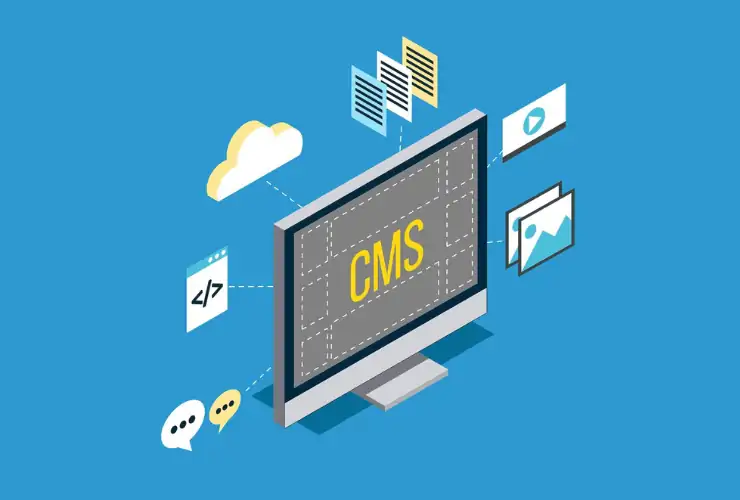
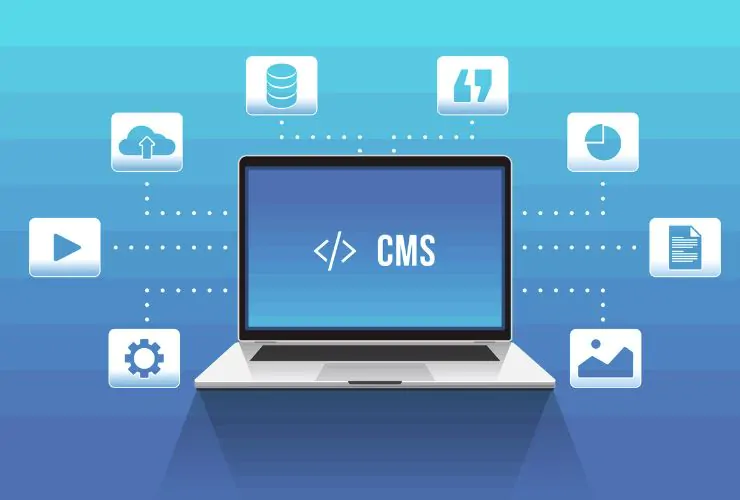
A CMS, or Content Management System, is software that provides people with the ability to create, manage, and change the content of their website without requiring any specialized technical skill.
These days, your website is the building block of your web existence. Picking the appropriate CMS is essential when creating a scalable, high-functioning, and SEO-friendly site.
When you choose a good CMS for your business website, you can successfully manage your website’s content, enhance the user experience, and support lasting future growth. Many businesses struggle to find the “right” CMS to suit their personal requirements because there is an abundance of CMS solutions on the market today.
In this guide, we will be discussing how to select the most appropriate CMS to meet your company’s needs, which major features to take into account when choosing a CMS, and how the correct CMS can positively affect both the functionality and visibility of your website.
Types of CMS
Include:
Understanding CMS types helps you make a smarter decision:
Traditional CMS
Manages both frontend and backend together. Best for simple websites.
Headless CMS
Separates backend and frontend using APIs. Ideal for scalability and flexibility.
Hybrid CMS
Combines traditional and headless features for better control and performance.
Top CMS Platforms for Businesses:
- WordPress (best for blogs)
- Shopify (best for eCommerce)
- Magento (enterprise)
- Drupal (complex sites)
These solutions provide flexibility and ease of use and are, therefore, suitable for businesses of all different sizes.
Top CMS Platforms Comparison
| CMS Platform | Best For | Ease of Use | Scalability |
|---|---|---|---|
| WordPress | Blogs & small business | Easy | Medium |
| Shopify | eCommerce | Easy | High |
| Magento | Enterprise | Hard | Very High |
| Drupal | Complex websites | Medium | High |
The Importance of Choosing the Right CMS
Choosing the correct Content Management System (CMS) for your business website can have a direct correlation to your website performance, scalability, and search engine optimization (SEO) ranking.
Benefits of a good CMS include:
- Improved content management
- Increased SEO ranking
- Quicker website development
- Enhanced security
- Ability to grow with your company
1. Determine Your Business Needs
Before choosing a CMS it is important that you have identified your business goals.
Questions to ask yourself:
- Will you need a blog, eCommerce site or a corporate site?
- What do you need from a customization perspective?
- How much can you spend on a CMS?
Following a CMS selection guide approach will help to avoid placing limitations on your CMS in the future.
2. Ease of Use and User Experience
Your CMS should be user-friendly, even by non-technical users.
What to look for when assessing user-friendliness:
- An intuitive dashboard
- Drag-and-drop editors
- Easy to update content
Popular CMS platforms, like WordPress, tend to be easier to use than other platforms.
3. SEO-Friendly CMS Features
An SEO friendly CMS is extremely important when trying to achieve high rankings on Google.
What are essential SEO features of your CMS:
- Ability to implement custom meta tags
- Clean, concise URLs
- Fast loading speed
- Mobile responsive design
All of these features will ultimately make your CMS website easier for search engines to index and improve your overall visibility.
4. Customizations and Flexibility
It is important that your CMS offers customization options so that you can tailor your CMS to meet the needs of your business.
Factors to consider when assessing the level of customization you need:
- Themes and templates
- Plugins and extensions
- Custom development options
Some platforms, such as Drupal, offer unlimited levels of customization.
5. Scalability and Performance
As your business continues to develop, so must your CMS. Your CMS should be suitably scalable to allow your business to grow accordingly.
6. Security Features
Security is a major factor for any type of site.
Look for:
- Regular updates
- SSL support
- User control
A CMS with good CMS Security features will protect both your information and your users.
7. Integration Capabilities
Your CMS should be able to connect to other programs or apps.
For example: CRM systems, Payment gateways, Marketing tools
Using integrations will help create better flow and efficiency.
8. Cost and Budget
There are many price points for different CMS platforms.
Look into:
- Free vs Paid CMS
- Hosting fees
- Plug-in fees
The applicable CMS for small business should be driven by your budget.
9. Support and Community
Having a good support system is very important.
Look for:
- Active Community
- Documentation
- Customer Support
Platforms like Joomla have great community support.
10. Headless CMS vs Traditional CMS
Businesses today are seeing many benefits from using headless CMS.
Traditional CMS has both the front-end and back-end together. Headless CMS is only back-end but has a more flexible front-end.
Headless CMS is a good fit for advanced applications or omnichannel experiences.
11. eCommerce Site CMS
Choose a CMS to support eCommerce if your site sells items online.
- Products Management
- Payment Integration
- Inventory Tracking
Choosing the right CMS for developing eCommerce websites will allow for greater success.
12. Performance Optimization for CMS
Performance is key when considering user experience.
Improvement tips:
- Caching
- Image Optimizations
- Fast Hosting
Optimizing the performance of your CMS will improve the SEO rankings.
13. Mobile Optimization
Mobile-friendly websites rank higher on Google.
Ensure your CMS supports responsive design.
14. Content Workflow Management
For teams, workflow features are important.
Include:
- Content scheduling
- Role-based access
- Approval workflows
15. Analytics and Tracking
Your CMS should support analytics tools.
Benefits:
- Track user behavior
- Measure performance
- Improve strategy
Benefits of Choosing the Right CMS
- Improves website speed and performance
- Enhances user experience
- Supports scalability and future growth
- Boosts SEO rankings
- Reduces long-term development costs
Real-World Example
An eCommerce startup may start with Shopify for quick setup. As the business grows, it may switch to a scalable solution like Magento or a headless CMS to handle advanced features and high traffic.
Conclusion
Choosing the right CMS for business website is a crucial decision that impacts your website’s success. From SEO friendly CMS features to scalability and security, every factor plays an important role.
By carefully evaluating your needs and comparing CMS platforms, you can select a solution that supports your business growth and improves performance.
Whether you choose WordPress, Drupal, or a custom solution, the key is to align your CMS with your business goals.
Why Trust Empirical Edge?
- 20+ Years of experience in CMS development
- Expertise in WordPress, Magento, custom CMS
- Proven track record with scalable solutions
Looking for the perfect CMS for your business website?
Partner with Empirical Edge for expert CMS website development, SEO optimization, and scalable web solutions.
Frequently Asked Questions
The best CMS depends on your needs. WordPress is ideal for small to medium websites, while Drupal suits complex and large-scale projects.
To choose the right CMS, you should evaluate key factors such as ease of use, customization options, SEO capabilities, scalability, security features, and overall cost. A good CMS should allow you to manage content easily, integrate with third-party tools, and support your long-term growth. It’s also important to consider your team’s technical expertise and whether the CMS provides strong community support and regular updates.
A CMS is generally faster and more cost-effective to develop and maintain compared to a custom-built website. It allows non-technical users to manage content without coding knowledge. However, custom websites offer greater flexibility, unique design capabilities, and tailored functionality. Businesses with highly specific requirements or advanced workflows may benefit more from custom development, while most businesses prefer CMS platforms for their convenience and scalability.
An SEO-friendly CMS like WordPress is considered one of the best options for search engine optimization. It offers features such as customizable URLs, meta tags, plugins for SEO optimization, fast loading performance, and mobile responsiveness. Other CMS platforms also provide SEO tools, but WordPress stands out due to its extensive ecosystem and ease of optimization for both beginners and professionals.
A headless CMS is a modern content management system that separates the backend (content management) from the frontend (presentation layer). This allows developers to deliver content across multiple platforms such as websites, mobile apps, and IoT devices using APIs. A headless CMS provides greater flexibility, faster performance, and better scalability, making it ideal for businesses looking to create omnichannel digital experiences.
Written by: Empirical Edge