




In today’s mobile-centric environment, user safety has become a requirement instead of an option. The continued growth of mobile applications has meant that they are now at the forefront of companies’ service delivery, data gathering and communication. One of the most commonly used technologies for cross-platform development of mobile apps is React Native. The widespread acceptance of this technology brings with it the added responsibility of protecting an organization’s app against threats from:
- Vulnerabilities
- Data leaks
- Unauthorized access
- Malicious attacks
In order to secure a React Native app you need a thorough understanding of potential risk factors and implement proactive measures designed to protect against those risks. This guide will detail the key best practices that should be implemented to keep your React Native app secure throughout all aspects of App Development; from data handling and API to Build Security.
Why is React Native Security More Important Than Ever?
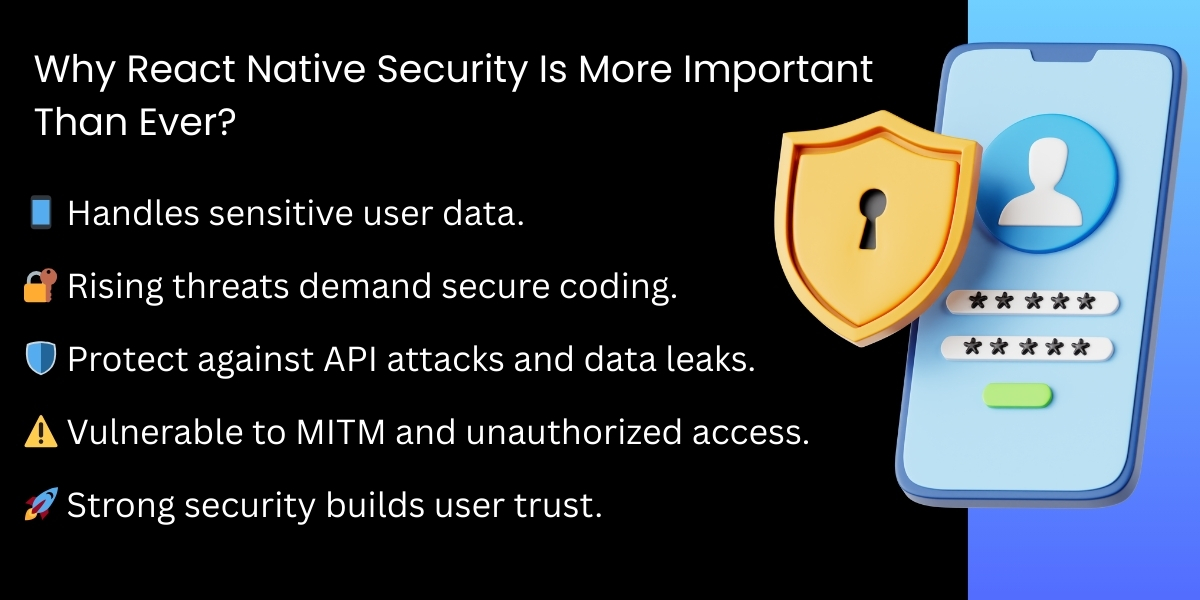
As stated, React Native apps typically handle personal information such as Customer Profile Data, Payment Information, and Other Personal Identifier Data as well as acting as a platform for E-commerce (e.g. Payment Processing). Mobile Applications are also being targeted by Cyber Criminals for:
- Reverse Engineering
- API Attacks
- Data Theft
- Unauthorized Tampering
- Man-in-the-Middle Attacks
Since the development of React Native applications consists of creating JavaScript code and then compiling it
1. Secure Your Local Data Storage
It is important to protect your local storage from both theft and malware due to the fact that mobile devices can easily be stolen or attacked with malware.
Always use a secure storage method for your important and sensitive information, such as React Native Keychain or AsyncStorage. The following options are available for securing your data:
- React Native Keychain
- React Native Encrypted Storage
- Keychain Services for iOS
- Android Keystore
The encryption of your data while stored allows you to know that even if someone were able to access your device, they will not have easy access to the valuable information contained within the device.
2. Do not Hardcode API Keys or Secrets
One of the biggest mistakes that developers make is to hardcode their API keys or secret credentials within the code of their mobile applications, especially for apps built using React Native. You can easily reverse engineer a React Native application which means that if you have hardcoded your secrets, you have put them at risk.
Some better options to store API keys include:
- Use a secure backend to manage your API keys
- Store your secret credentials as environment variables during your build process
- Implementing server-side authentication and authorization
By taking these precautions, you can ensure that your API keys never get bundled with your app and remain secure.
3. Protect Your API Communications With HTTPS and SSL Pinning
When you are transferring data between your application and your server you should always use HTTPS (or TLS) to ensure that the data cannot be intercepted.
In addition to using HTTPS, you can further secure your communications by implementing SSL pinning. SSL pinning ensures that your application only trusts a specific SSL certificate. This means that if someone were to use the SSL certification to perform a man-in-the-middle attack on your server, they would be unable to gain access to your API key and would not be able to impersonate your server.
4. Implement a Strong Authentication and Authorization Process
To give users secure access to your mobile application, you need to perform strong, industry-standard authentication methods.
These include:
- OAuth 2.0
- JWTs (JSON Web Tokens)
- Multi-Factor Authentication (MFA)
- Biometric Authentication (Face ID or Fingerprint Scanner)
When validating user access, always validate access on the backend by checking user roles and permissions. Do not rely solely on the app to enforce access control.
5. Update Dependencies Regularly and Remove Unused Libraries
React Native applications usually use many third-party libraries; if you do not keep them updated, they can become security problems.
The best way to reduce exposure to vulnerabilities from third-party libraries is to:
- Regularly audit your npm packages to see if there are any known security threats
- Remove any libraries that are not necessary or have not been maintained
- Use an automated scanning tool such as npm audit or Snyk to keep your npm package list up to date
- Prefer using official libraries or libraries that are maintained by someone else
Cleaning up and keeping your dependency chain current is an important step in achieving better security.
6. Obfuscate and Minify JavaScript Code
As React Native compiles Javascript for its applications, it means attackers can attempt to reverse engineer your application and obtain the source code.
Using obfuscation will make it harder for an attacker to reverse engineer or tamper with your application.
Use:
- Metro bundler to minify code
- JavaScript Obfuscators
- Proguard on Android
- Bitcode optimizations on iOS
No way to guarantee 100% of an application will be protected by obfuscation, however, it definitely raises the level of difficulty for an attacker to analyze or tamper with your application code.
7. All User Input Must be Validated to Avoid Injection Attacks
User-generated input is one of the primary vectors used to compromise an application. When it is not validated properly, an attacker may take advantage of the following:
- SQL Injection
- JavaScript Injection
- Command Injection
- Malformed Data Attacks.
To mitigate any potential for manipulation, you should validate, sanitize, and escape all user input (client-side and server-side).
8. Limit Application Permissions to the Minimum Required
Many React Native apps request many different types of permissions, often for the ability to access the user’s location, camera, contacts, or storage. By asking for unnecessary permissions, you increase the risk to your users and create a lack of trust in your application.
The principle of least privilege should always be followed:
- Request only those permissions that are required to operate your app
- Provide users clear explanations
- Routinely review and remove any permissions that are no longer used
Implementing a privacy-first approach will protect your users and your application’s reputation.
9. Secure the Backend and APIs
The most secure React Native app can still be compromised if the backend is not secured.
Ensure that you are following security best practices when developing APIs.
- Enforce rate limitations for access
- Validate the token and session
- Use role-based access control
- Sanitize all input in the request
- Monitor for possible suspicious activity via the API
When you have a secure backend, it will significantly reduce the risk of scraping your data, gaining unauthorized access, or being subject to high-volume attacks.
10. Regularly Test and Monitor Your App for Vulnerabilities
Regular checks of the app and monitoring for Vulnerabilities using Security is not a one-time endeavour. It is an evolving process and is an ongoing effort. Examples of best practices to check for and monitor vulnerabilities are below:
- Testing for penetration (promoting an attack call)
- Testing (reviewing) code
- Automation for vulnerability scanning
- Monitoring logs (activity logs, login)
- Heralding security audits
The quicker you test, the quicker you can decode and fix the vulnerabilities identified.
Creating vulnerability and/or user experience through Security will create a greater user experience and reduce business risk.
Conclusion
Security is part of your framework for building a secure React Native application. The benefits of using React Native in terms of speed, flexibility, and affordability would be useless if they are not supported with Sound Security methods through data encryption, encrypted API transmission, user authentication security, and a robust back-end. These methods will provide your users with a Secure User Experience and mitigate your company’s risks.
Lastly, Security is more than using technology; it’s about building Trust. By providing your users with a Secure React Native app and fostering their confidence in your company’s Security and overall User Experience, you will enhance User Confidence, Protect Customer/Client values, and Create a Safe Place for Your Brand.
Frequently Asked Questions
Yes. React Native apps can comply with industry standards such as GDPR, HIPAA, SOC 2, and PCI-DSS when security controls, auditing, and compliance-driven development processes are applied.
APIs are secured using HTTPS, OAuth 2.0, JWT tokens, rate limiting, role-based access control, and backend security testing to prevent unauthorized access and data leaks.
Protection methods include code obfuscation, secure build configurations, jailbreak/root detection, tamper protection, API request validation, and runtime security monitoring.
Empirical Edge provides secure React Native development, security audits, encrypted architecture design, compliance implementation, API protection, and ongoing monitoring to protect apps from modern threats.
Written by: Empirical Edge Team