




Website speed is no longer just a technical factor; website speed is directly related to user experience, SEO ranking and conversion rate. Page speed optimization is extremely important for companies using HubSpot, as it is part of providing fast, engaging and highly effective digital experiences.
This guide will examine several proven HubSpot page speed optimization techniques to enhance pages’ performance, reduce bounce rates, and increase SEO ranking.
How Page Speed Affects HubSpot Sites
Every phase of user engagement is impacted by page speed. If a page takes too long to load, it frustrates users, leads to less engagement and hinders search visibility. Google uses page speed as part of its ranking algorithm (especially on mobile devices), meaning that page speed optimization is very important.
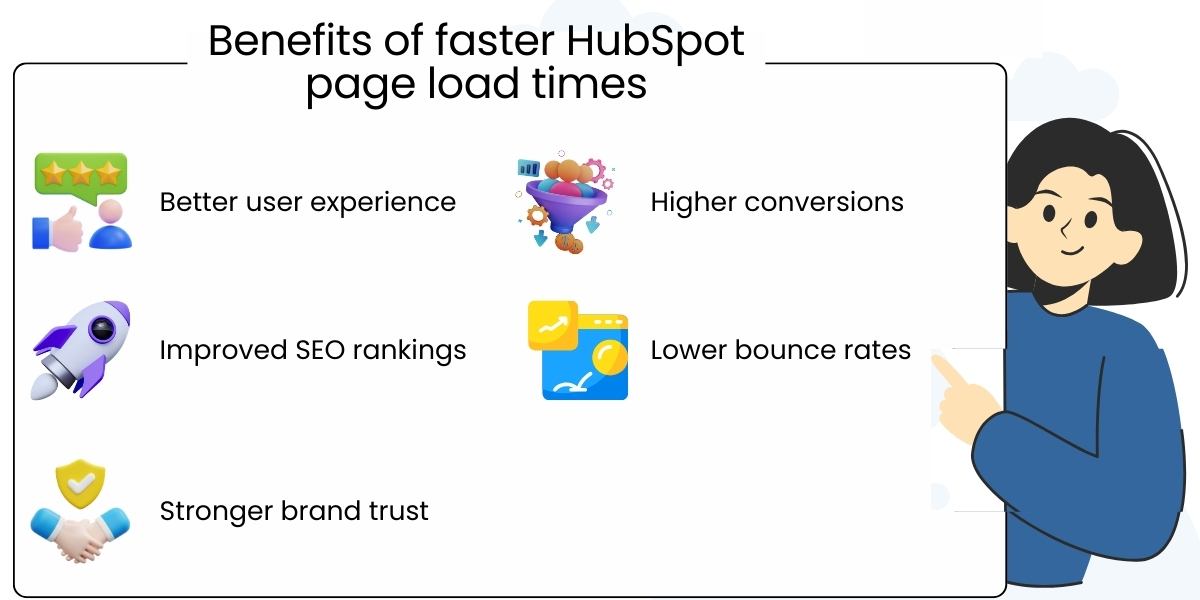
The benefits of quicker page load times for HubSpot sites are:
- Higher quality user experience
- Increased conversion rates
- Increased SEO ranking
- Decreased bounce rates
- Stronger brand perception
The ability to have an efficient, effective HubSpot experience across all devices.
HubSpot CMS Performance Overview
HubSpot CMS is a cloud-based solution that includes several features, including computer delivery networks (CDN), server-side rendering, and automatic updates. Most of the time, page speed issues on HubSpot sites are caused by design choices, large media files, external scripts and unoptimized assets and not because of HubSpot’s performance features.
Create and use images and media files with optimal quality
Most of the time, the largest contributor to a slow webpage loading time is images.
Best practices will include:
- Compress images with minimum loss of quality
- Use modern image formats when possible
- Don’t create images that are too large for the webpage
- Use lazy loading for images shown below the fold (usually not seen until you scroll down).
When a site uses properly optimized images, the overall size and loading time will be greatly reduced
Minimize third-party scripts
Scripts from third-party sources (such as analytics, chat widgets, marketing tracking tools) can negatively impact the performance of HubSpot pages.
- If you want to improve your website’s performance, perform an audit on your third-party scripts.
- Remove any scripts that you do not use, and any that are duplicated.
- Wherever possible, load scripts asynchronously.
- Limit the number of external dependencies.
Elimination of script bloat will improve the speed of your website and maintain your website in a more stable manner.
Use the built-in CDN of HubSpot to its fullest extent
HubSpot will automatically serve your website’s content through a distributed CDN (Content Delivery Network) to allow for faster delivery to your users regardless of where in the world they are located. To take full advantage of this:
Wherever possible, host your assets in HubSpot.
- Avoid calling for assets that do not need to be called from outside of HubSpot.
- Make sure that when your assets are published they are done correctly so that you will take advantage of caching to speed up loading times.
- When using the CDN efficiently, you will minimize latency and improve performance.
Optimize your HubSpot Templates and Modules
If you have very complex templates and modules, they may slow down how fast your pages get rendered.
Optimization tips include:
- Keep your page layout simple.
- Try not to nest your elements too far down in the page.
- Use lightweight modules and directories whenever possible.
- If you are using a template that has an unused module, please remove it.
When you have clean, efficient templates, your pages will get loaded faster and will also be easier to maintain.
Reduce Page Size and DOM Complexity
A larger page size and an abundance of DOM elements add to the rendering times of a web page.
The following are considered best practices for managing page size and DOM complexity:
- Limit your number of sections per page
- Only animate when necessary
- Trim down any excessive styling
- Organize the DOM structure; maintain a clear hierarchy
By using streamlined pages, all devices will be able to achieve better performance.
Enable Browser Caching and Optimize Static Assets
Even though HubSpot does a great job of managing the server-side cache, as a developer, you must also do your part to improve client-side performance by:
- Providing cache-friendly static assets
- Eliminating duplicates and unnecessary requests for files
- Optimizing your fonts and styles
Caching reduces the frequency at which users have to re-download files and gives users an encouraging reason to return.
Optimize Fonts and Typography
Using poorly optimized custom fonts can significantly hinder the load time of a web page.
Best Practices include:
- Limit the number of font families/weights you use
- Take advantage of system fonts whenever possible
- Do not use unnecessary font variants (bold, italic, etc.); and
Well-optimized typography will enhance performance without compromising the design integrity.
Improve Mobile Page Speed
In today’s world, a significant portion of web traffic comes from mobile devices. Therefore, all HubSpot pages need to be optimized for mobile performance.
To achieve this, you should:
- Create responsive page designs
- Minimize the use of heavy animations
- Optimize and compress images for mobile devices
- Test loading time on a variety of screen sizes
By optimizing for mobile devices, you can expect to receive higher rankings on search engines and more satisfied customers.
Use HubSpot to Monitor Your Website’s Performance
HubSpot includes several built-in tools that help you monitor the performance of your website by providing information on how quickly your pages load.
HubSpot performance management tips:
- Frequency of reviewing performance metrics
- Determine which pages have the most slow load times
- Schedule time to review your performance improvement history
- Use performance metrics to make informed decisions regarding optimization
Ongoing Performance Monitoring Ensures Your Website Continues to Function As Its Purpose Changes Over Time.
Integrating Page Speed with Your Search Engine Optimization Strategy
Page speed optimization has a direct correlation to your search engine optimization strategy. faster pages allow search engines to index and understand your pages better, which results in improved user interaction and better rankings on SERPs
How to align your performance with your seo strategy:
- Optimize core web vitals
- Reduce time to first byte (ttfb)
- Improve user interaction and page stability
- Speed optimization and SEO work together to drive organic traffic
Conclusion
Page speed optimization is an important component to delivering fast, engaging, and conversion-focused websites on the HubSpot CMS. although HubSpot does have a solid core foundation for optimizing page speed, utilizing image optimization, script optimization, template optimization, and content structure optimization will dramatically improve your website load time.
by implementing the HubSpot page speed optimization best practices, businesses can provide customers a better experience, improve their SEO ranking, and achieve improved results from their marketing efforts. page speed optimization is not a one-time task, and businesses should view it as an ongoing investment in their digital success.
Ready to boost your HubSpot site speed and improve SEO performance?
Partner with Empirical Edge to optimize your HubSpot pages for faster load times and better user engagement.
Frequently Asked Questions
Yes. Many performance improvements can be made without redesigning your site, such as image compression, script optimization, lazy loading, code cleanup, and asset minification.
Google uses page speed and Core Web Vitals as ranking factors. Optimizing your HubSpot website improves search visibility, mobile performance, and organic traffic growth.
Yes. Professional optimization improves speed while maintaining HubSpot’s built-in security, hosting stability, and compliance standards.
Empirical Edge provides HubSpot performance audits, page speed optimization, Core Web Vitals improvements, custom module optimization, and ongoing monitoring to ensure faster load times and higher conversions.
Written by: Empirical Edge Team