



It’s like you have a digital engine running at high precision, where nearly every portion must perform at the same level, be it a module, API call, checkout flow, plugin update, design component, database interaction, etc. If there’s just a single bug that goes undetected, customer trust may be undermined. This could eventually result in cart abandonment, malfunctioned payment logic, failure to keep inventory in sync with sales, etc., and this ultimately results in lost revenue.
Until fairly recently, most testing of Magneto stores happened manually through the QA (Quality Assurance) process. When developers would create a staging environment, testers would need to work through multiple browsers manually checking each workflow and writing down their findings. When engineers would verify checkout flows, they would also have to validate each database state visually for consistency. Also, unless there was a major release of code, all regression issues were only identified once production was finished. This process created a significant amount of extra work for someone manually performing each step of the testing process and it was slow, costly, repetitive, and contained a significant amount of opportunity for error, especially with builds that contain many modules.
Today, by implementing automation testing tools and frameworks into your daily business practices, Magento commerce should see an increase in stability, reduced time to market, improved performance, elimination of known vulnerabilities, and over time, reduced reliance on human resources.
Through the use of automated testing tools and frameworks, store owners and developers can create a continuous validation of functionality rather than waiting until a production-ready build is complete to examine for bugs; therefore, they can catch a bug before it reaches production, provide an equivalent experience across all platforms, and safely speed up their development process.
Automation Testing Benefits in Magento 2
Magento 2 is organized into modular architecture framework, which represents an independent collection of working pieces called Seasonal Dependencies. The modularization consists of the pages customers see (the frontend), the backend functions that control those customer experiences, the data stored in the database, the API feeds for connecting with other programs, external products and services, the payment gateways, and the logic used to authenticate customers, calculate shipping costs, and update inventory.
Updates or new features can put all those pieces at risk of breaking, but automated testing can reduce that risk significantly.
Advantages of Automated Testing:
- Find bugs before your users do.
- Supports test coverage across browsers simultaneously.
- Tests the largest checkout flow possible without users seeing a UI block.
- Validates business workflows as they are applied during an update.
- Tests performance under load.
- Scales with your store’s growth.
- Reduces reliance on large manual QA teams.
- Decreases your long-term maintenance costs.
- Creates a predictable release cycle for customers.
- Minimizes post-Launch disasters.
- Increases developer confidence.
- Keeps multi-store builds’ integrity intact.
- Protects your payment, user and order workflow processes.
- Enables continuous delivery of products and services at scale.
If you sell products, accept payments, store inventory, or collect customer information on your Magento store—all require predictable reliability. A degree of that reliability is achievable much quicker through automated testing than it ever could be through human testing.
What Should Be Automated in a Magento 2 Store?
To achieve enterprise-grade reliability, the following must be automated:
Functional Testing
- Admin login and role access
- Module behavior
- Product creation and media upload
- Category & taxonomy mapping
- Checkout & cart functionality
- Payment gateway execution
- Shipping rule processing
- Multi-store UI loading
- CMS content rendering
- Newsletter feature flow
- Customer account creation
Regression Testing
- Ensure updates don’t break older features
- Validate extension compatibility
- Test theme rendering after deployments
Security Testing
- Prevent SQL or XSS vulnerabilities
- Check for unauthorized admin access
- Ensure old SSL or HTTP routes don’t leak data
Performance Testing
- Load test checkout page
- Stress test database response
- Test inventory API hit limits
Unit Testing
- Validate isolated backend logic
- Test business workflows without browser loads
- Once automated—these tests can run continuously without manual oversight.
Essential Automated Test Solutions for Magento 2
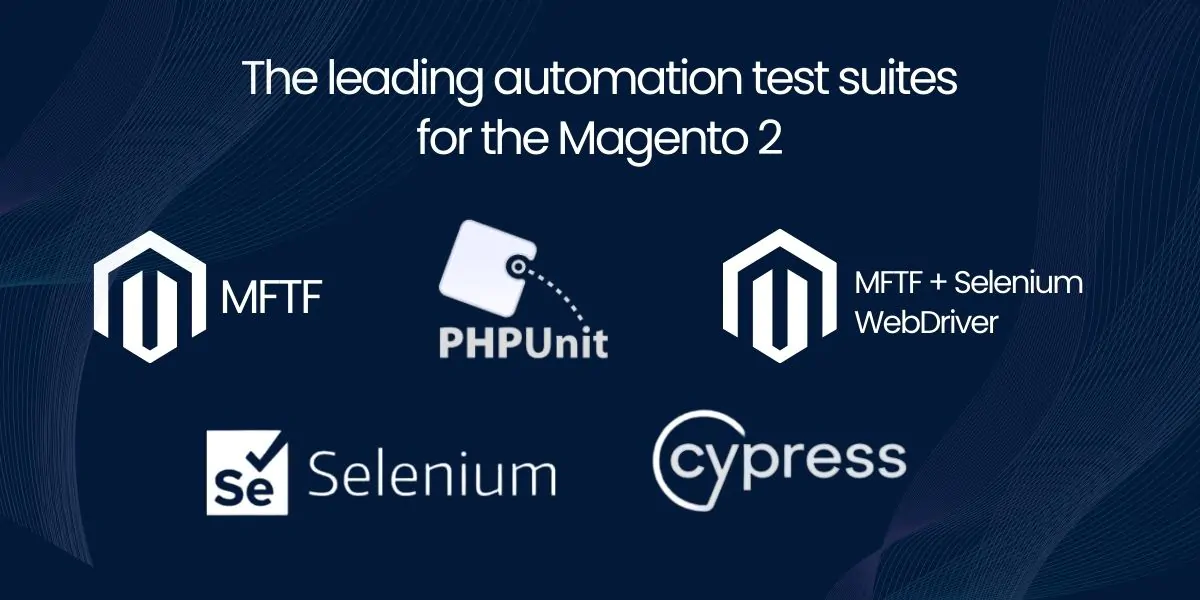
In this section, we will provide an overview of the leading automation test suites for the Magento 2 testing environment.
1. Magento Functional Testing Framework (MFTF)
The Magento Functional Testing Framework (MFTF) is the only automation test framework created for Magento 2 by Magento. It is also the only automation test framework for Magento with the same technology as Magento 2. MFTF emulates real users testing the behaviour of a Magento 2 store through its entire shopping journey through to the completion of a transaction. MFTF will assist in testing the behaviour of the Magento 2 store within the following scenarios:
- Website User Interface (UI) Testing
- End-to-End Automated Testing of an eCommerce website
- Execution and Automation of Test Programs in Parallel
- Automation Test Coverage of Browsers Used to Access Your eCommerce Website
- Emulation of Real Users Using Your eCommerce Website
- Testing of extensions to your eCommerce website
- Validating the behaviours of Multiple Magento 2 Stores
What Makes MFTF Very Powerful
- The Power of MFTF Comes from Magento’s Design and Development
- MFTF Does Not Require Any Third-Party Automation Testing Tools
- MFTF Will Scale at the Same Rate Your Online Store Grows
MFTF has Official Support from Magento, and MFTF Will Be Updated with Future Features to Enhance the Capabilities of Your Online Store.
2. PHPUnit
PHPUnit is the most commonly used unit test framework for many PHP applications, including Laravel, Symfony and Magento 2.
Since Magento uses PHP logic for many of its major components, PHPUnit assists in testing the logic of PHP code without going into a browser and loading the pages first.
PHPUnit Helps Validate Code Isolated Behaviour and Class-Level Logic
As with MFTF, PHPUnit will also assist in validating the data returned by a class when tested with a database and during database migration.
3. Magento Testing Frameworks (MFTF) + Selenium WebDriver
Selenium thoroughly automates testing using browsers by creating an automated testing process that simulates human interaction with a web browser (full interaction) through the use of both Selenium and Magento 2. Selenium and MFTF both test the various elements that make up the Magento checkout process; including: Admin login interaction; Button interaction; UI delay; Checkout view render; Plugin conflict; Cross-browser UI behavior, to name just a few.
In addition, Selenium provides the ability to test:
- Chrome, Edge and Firefox
- Scale in parallel
- Full automation over the UI
- Customer interaction; simulates real clicks.
There are good reasons why these features are required:
Many customers shop at multiple browsers when visiting a Magento store, so if one of those browsers fails to operate correctly, it’s possible for the store to lose sales revenue. The components of Selenium allow you to verify that Magento will perform correctly across all browsers.
4. Cypress.io
Cypress is one of the most popular tools for running automated front-end tests for applications built using JavaScript. Many front-end applications built with Magento 2 utilize JavaScript, either directly or through frameworks (e.g. React or PWA studio). Cypress enables the testing of front-end DOM elements, application response times, responsive DOM rendering, AJAX requests, field input interactions, Magento page transitions, PWA store view loads and more.
Cypress provides:
- Fast test execution
- Debugging with hot reload
- Great for applications with dynamic UIs
- Detect UI and DOM failures before releasing to production
If your Magento application has a dynamic front-end, Cypress should be included in your testing team.
5. Selenium IDE
With Selenium IDE, it’s an easy way to capture and play back what was done. Because of this functionally, Selenium IDE is a great choice for things such as running testing scripts for checkout validating, user login process, API syncing of orders from the CRM using the UI, validate filtered data on product pages, automating the process of navigating through Magento 2 using the recorded test scripts and processes, to recording how to use dropdown forms and captures of admin panel test coverage for testing Magento 2.
Selenium IDE is one of the simplest tools to use without requiring any programming knowledge.
Conclusion
Automated Testing is an absolute necessity if you want to use Magento 2. Automated Testing is the best way to reduce maintenance costs, speed up your release process, provide a bug-free checkout experience, ensure secure data transfer, and allow you to scale your store performance as the business grows. By using the right tools, brands can make faster, safer releases, prevent needless failures of their stores, and minimize their dependence on large QA teams while maintaining reliable performance across browsers and for their business.
The savings from Automation protect the revenue of your business, improve the turnaround time of new releases, reduce your long-term operational costs, and increase the capabilities of the Magento 2 platform used in your eCommerce business.
Optimize Your Magento Store With Automated Testing
Ensure your Magento 2 store runs flawlessly with expert automated testing solutions from Empirical Edge. From QA automation to performance optimization, we help businesses build faster, more reliable, and scalable eCommerce platforms. Contact us today to future-proof your store.
Frequently Asked Questions
Automated testing uses software tools to run tests on a Magento 2 store to catch bugs, check performance, and validate business workflows without manual QA every time.
Automated testing reduces bugs in production, speeds release cycles, improves checkout reliability, and scales with your store’s growth.
Popular tools include Magento Functional Testing Framework (MFTF) and Selenium WebDriver for end-to-end testing across browsers and shopping journeys.
Absolutely — tools like Selenium and MFTF can validate that your store works properly on Chrome, Firefox, Edge, and other browsers.
Automated testing can be integrated into CI/CD pipelines using tools like Jenkins or GitLab CI, so tests run on every code change for consistent quality.
Written by: Empirical Edge Team